Why storage and checkpoint choice shape the bill
When you rent a GPU to run an open model, two choices made before the first image decide much of the bill: where the model files live, and which model files you load. Storage sets how long every cold start takes, and every cold start is paid GPU time. The checkpoint sets whether the output is usable at all.
These notes are for developers and small teams weighing a self-hosted image model against paying a platform per image. They record what we did, what we saw and what it cost, including the parts that went wrong, so you can plan your own first session with real figures.
The goal
We are turning a community model card into a working application. The starting point is the smartphone photography LoRA for Krea 2 on Hugging Face. We follow its author's instructions as closely as we can: the same base model, the same LoRA strength, the same two-pass sampler and the same colour correction. The model card ends at a ComfyUI workflow on your own machine, and we take it further:
- Reproduce the author's results on a rented GPU (this part and Part 2).
- Serve the workflow as a pay-per-use serverless endpoint that scales to zero.
- Wire it up to a Next.js front end where someone uploads a photo or types a prompt and gets an image back.
- Measure what each image costs and how long it takes, at every step.
The setup and why
We ran one Runpod Pod with an RTX 6000 Ada, ComfyUI, and every model file on a Runpod Global Volume. Each choice came from a constraint we hit on the night.
| Choice | What we used | Why |
|---|---|---|
| GPU | RTX 6000 Ada, 48 GB, Secure Cloud, US-WA-1, $1.09 an hour | The BF16 weights alone are 26 GB, so 48 GB is the practical floor. Global Volumes attach to Secure Cloud Pods. |
| Storage | Runpod Global Volume, $0.09 per GB per month plus requests | One copy of the weights, mountable in any data centre with a free GPU, billed on the data stored. |
| Software | Runpod ComfyUI template, ComfyUI 0.30.0 on CUDA 13.0 | Krea 2 needs a recent ComfyUI, and the template ships one ready to run. |
| Mount path | Global Volume at /models, read through extra_model_paths.yaml | The template copies ComfyUI into /workspace on first boot, and Runpod advises against installing applications onto a Global Volume. |
The files came from Hugging Face: Krea 2 RAW and Turbo in BF16 (26.3 GB each), the Qwen3-VL 4B text encoder (4.9 GB in FP8), the Qwen Image VAE (243 MB) and the community smartphone-photo LoRA (28 MB).
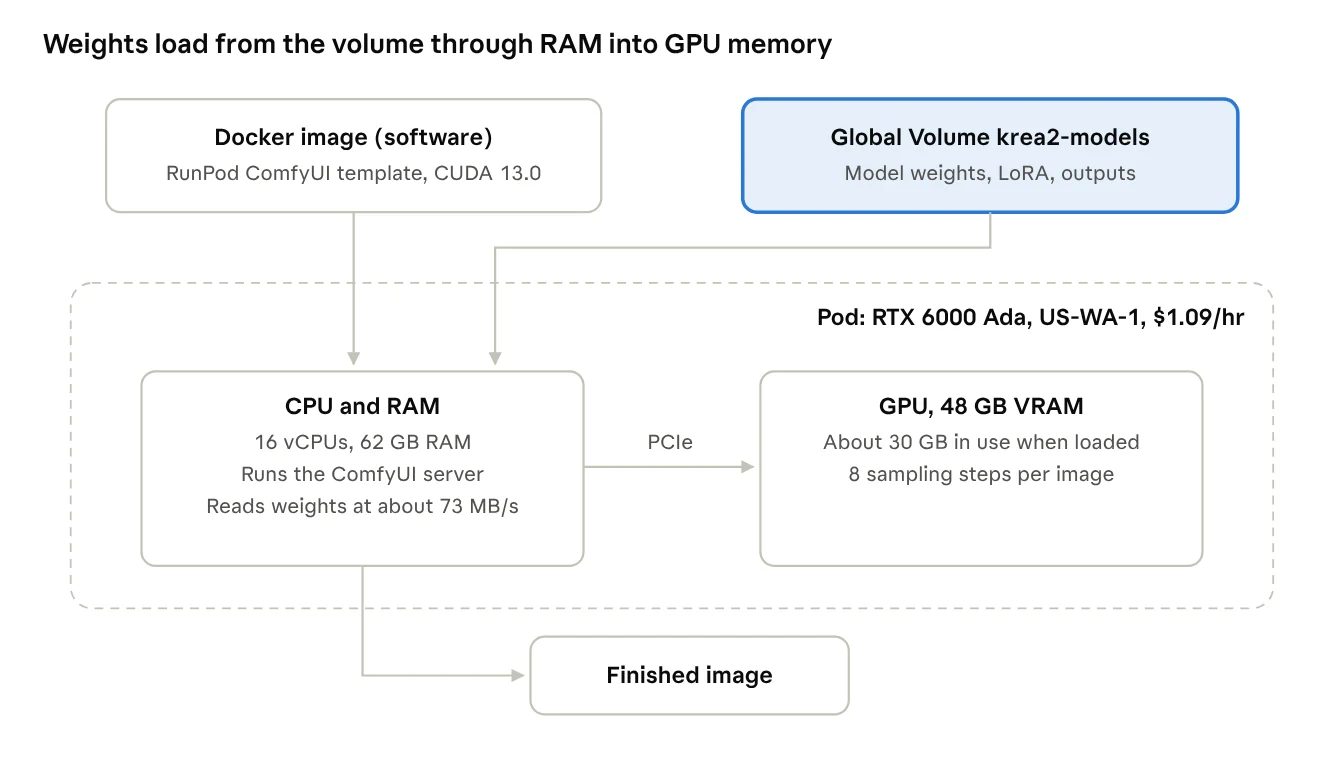
On the first run, everything before the GPU is the slow part: weights travel from the volume into RAM, then across PCIe into GPU memory. After that, each image only uses the GPU.
First run on defaults
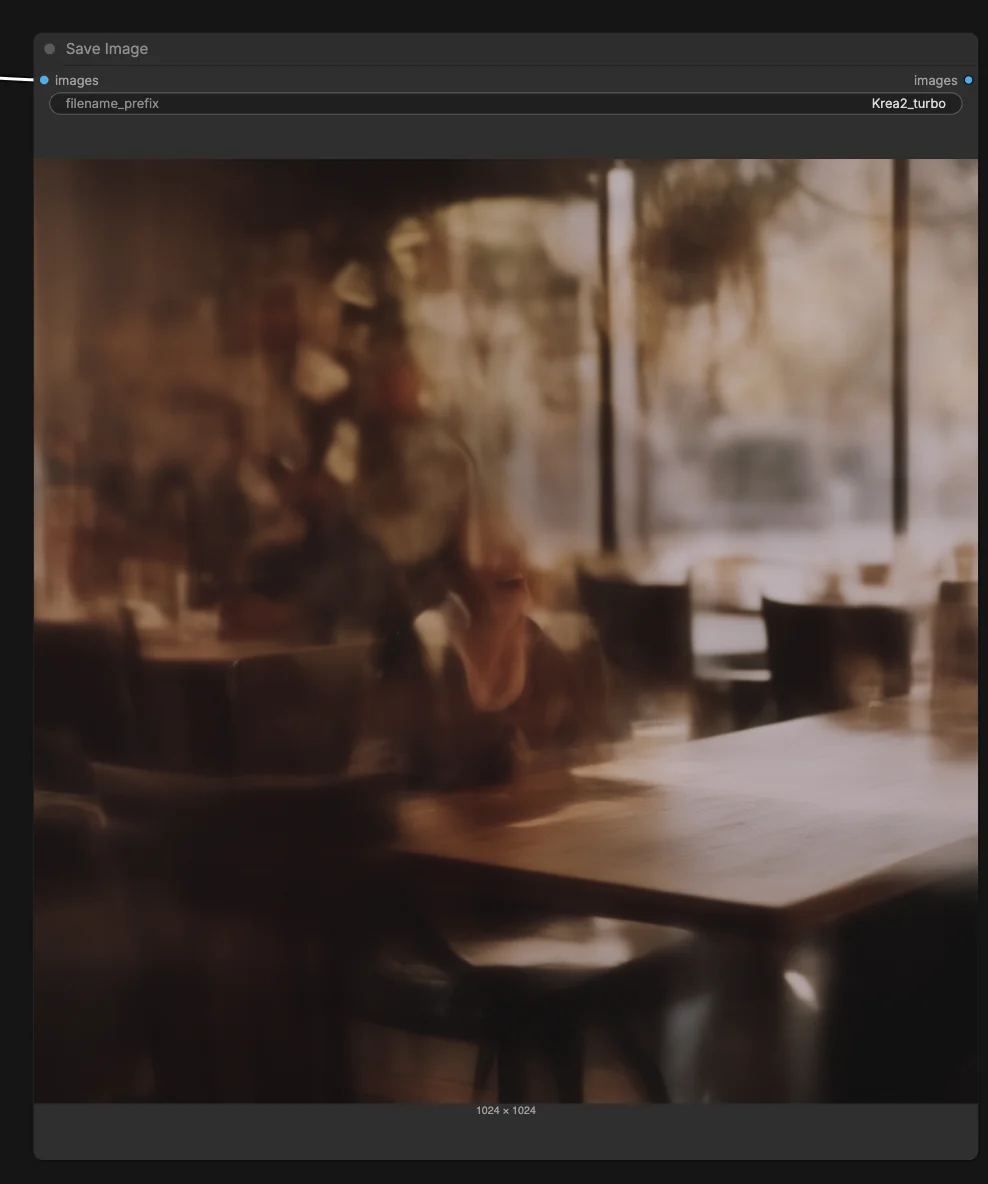
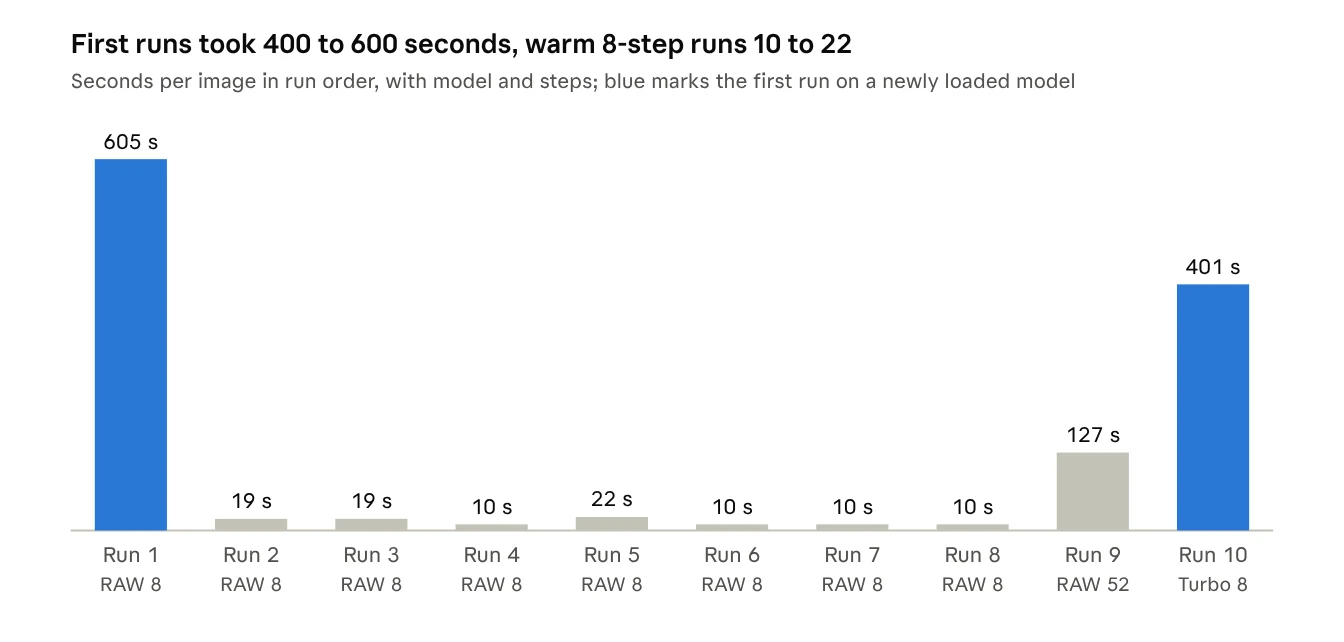
The first image took 605 seconds and came out smeared, with shapes dissolving into each other and faces half formed. We had loaded ComfyUI's Krea 2 template, pointed its model loader at Krea 2 RAW and left every other setting as shipped.
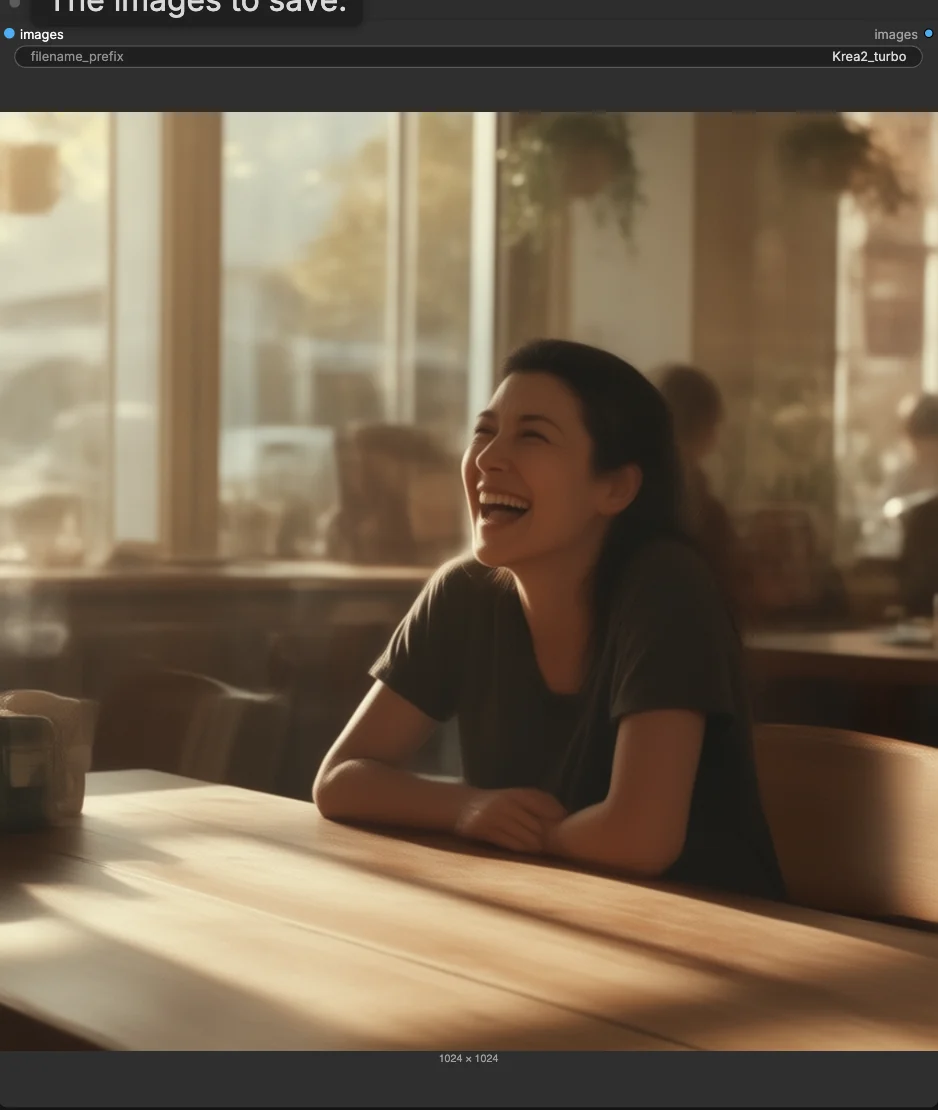
Later runs were warm and quick, 10 to 22 seconds each, but the quality was a coin toss. One café portrait came out clean. A football scene came out as smeared as the first image. Steady speed with patchy quality pointed at the settings.
Diagnosis: the Turbo recipe on the RAW model
ComfyUI keeps a record of every run at its /history endpoint, with each node and setting it actually used. That record showed the cause: every run had used the Turbo recipe on the RAW model. The interface hid this because the template tucks its sampler inside a grouped node.
| Setting | What ran | What RAW expects |
|---|---|---|
| Steps | 8 | About 52 |
| CFG (prompt strength) | 1 | About 3.5 |
| Negative prompt | Zeroed out by the template | A real negative prompt |
Krea 2 ships as two checkpoints. The ComfyUI Krea 2 tutorial describes RAW as the base model with full-step sampling at 52 steps, and Turbo as an 8-step distilled checkpoint. The template is built for Turbo. Feeding it RAW stopped the denoising partway, which is exactly what a smeared image looks like.
Raising RAW to 52 steps and CFG 3.5 made it worse: a noisy, over-processed image in 127 seconds. The template zeroes the negative prompt, which only suits CFG 1. A community node author also reports that ComfyUI loads every Krea 2 checkpoint with Turbo's fixed sampling shift of 1.15, while RAW expects a shift that changes with resolution.
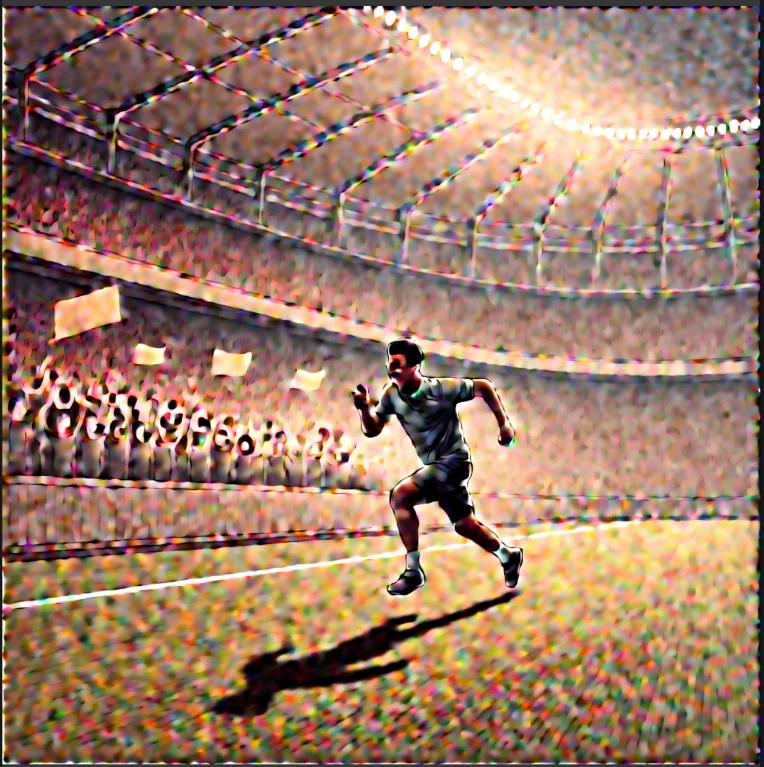
The clean café portrait was a lucky seed. With the sampler stopping early, a few starting noise patterns happen to resolve into a usable picture.
The fix: switch to Turbo
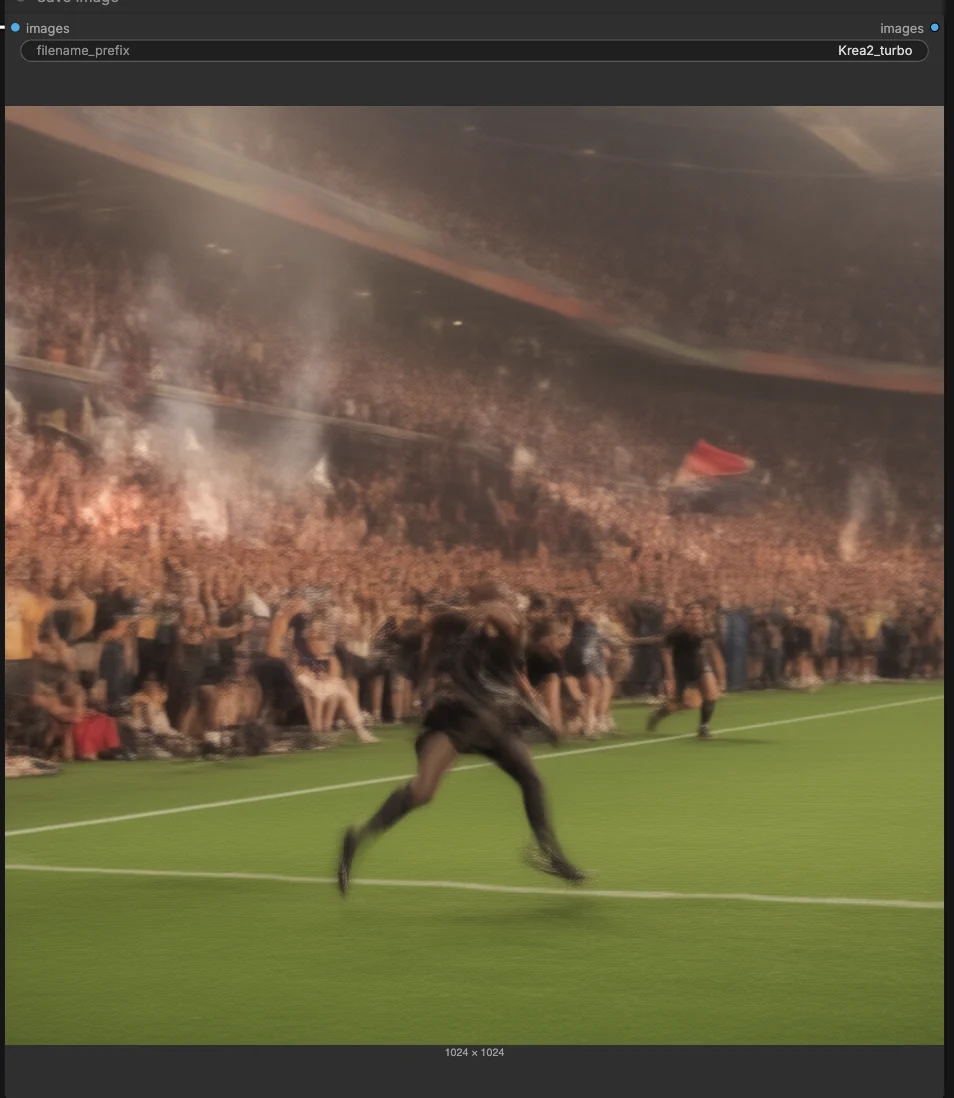
We downloaded Krea 2 Turbo BF16 onto the volume, pointed the template at it and kept every other setting. The football scene came out clean and sharp on the first try, with the player, crowd, flags and flares all resolved.
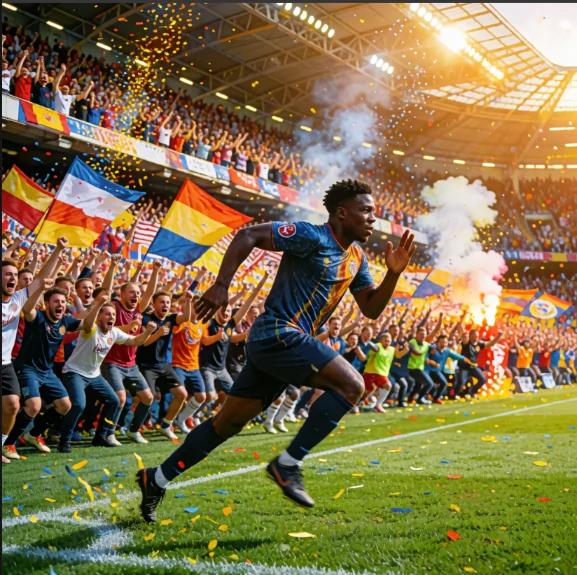
This matches Krea's intended use. The ComfyUI tutorial says LoRAs are trained on RAW and that LoRAs trained on RAW apply to Turbo, so the smartphone LoRA runs on Turbo as designed.
| Part | Setting |
|---|---|
| Diffusion model | Krea 2 Turbo, BF16 |
| Text encoder | Qwen3-VL 4B, FP8, type krea2 |
| VAE | Qwen Image VAE |
| LoRA | Smartphone photo slider, strength 1.5 |
| Sampler | 8 steps, CFG 1, euler, simple |
We also removed one leftover. The template's LoRA trigger box still held “muted minimalist sketch style”, a phrase for one of its own style LoRAs, which was being added to every prompt. The settings were right all along. The model file was the wrong one for them.
Findings
The cost of a session sits in its cold starts: each model's first image took 400 to 600 seconds, and every warm 8-step image took 10 to 22.
| Measure | Value | How we know |
|---|---|---|
| GPU memory in use, model loaded | About 30 GB of 48 GB | nvidia-smi on the Pod |
| Global Volume read speed | About 73 MB/s | The ComfyUI process's disk read counters while Turbo loaded |
| Time to read one 26.3 GB checkpoint | About 6 minutes | 26.3 GB at 73 MB/s |
| Network volume read speed, for reference | 200 to 400 MB/s typical | Runpod's network volume guide, not measured by us |
The memory figure follows a simple rule: parameters times bytes per parameter. Krea 2 has 12 billion parameters at 2 bytes each in BF16, so about 24 GB for the weights before the text encoder and working memory.
What sits in GPU memory
An image model is usually several models working together, and all of their weights have to fit in GPU memory at once with room to spare. Size the GPU for the whole set.
| Part | Job | File size |
|---|---|---|
| Krea 2 Turbo, BF16 | Generates the image by removing noise step by step | 26.3 GB |
| Qwen3-VL 4B, FP8 | Turns the prompt into numbers the image model reads | 4.9 GB |
| Qwen Image VAE | Converts between the model's compressed working space and pixels | 243 MB |
| Smartphone LoRA | A small set of extra weights applied on top of Krea 2 to steer the look | 28 MB |
On top of the weights, the GPU needs working memory for each image as it is generated. We saw about 30 GB in use on a 48 GB card, which left about 18 GB of headroom.
Why the first run is slow. Before the first image, every weight file travels from storage into the Pod's RAM, then across PCIe into GPU memory. Storage is the slow leg: at 73 MB/s, the 26 GB diffusion model alone takes about 6 minutes. Once loaded, the weights stay in GPU memory while the ComfyUI server runs, so later images skip the load. Restarting the server or the Pod empties GPU memory, and the next image pays the load again.
What happens when you swap models. Loading a different model leaves the files on disk untouched. ComfyUI checks whether the new model fits beside the one already in GPU memory. If it fits, both stay. If it does not, ComfyUI unloads the model used least recently to make room, and may keep a copy in RAM so switching back is quicker. On this 48 GB card a second 26 GB model would not fit beside the first, so RAW and Turbo replaced each other and each switch cost a full load. That is why serving platforms usually give each model its own endpoint, so a worker loads its model once and stays warm on it.
What it cost
The whole session cost about $3.20 in GPU time, and a warm image costs under a cent. GPU time is billed by the second at the Pod's $1.09 an hour, the RTX 6000 Ada price Runpod showed on the night.
| Item | Cost | Working |
|---|---|---|
| Warm image, 8 steps | About $0.003 to $0.006 | 10 to 20 seconds at $1.09 an hour |
| First image after loading a model | About $0.12 to $0.18 | 401 to 605 seconds at $1.09 an hour |
| Session GPU time | About $3.20 | About 2 hours 55 minutes at $1.09 an hour |
| Global Volume storage | About $5.80 a month | About 64 GB at $0.09 per GB per month |
One first image costs as much as 20 to 60 warm ones. For a Pod you keep running, that is a one-off. For serverless workers that start from zero, it repeats on every cold start, which is why storage read speed matters most in the next phase. A third-party write-up reports that Runpod's console now offers the first 100 GB of Global Volume storage free. We have not confirmed that, so the storage line uses the published rate.
Part 2 and the open threads
The images are clean but still polished, with saturated colour and cinematic light. Part 2 makes them read as real phone photos, then feeds in a photo in place of a prompt.
- Add the LoRA author's two-pass sampler: 12 steps with euler and beta, then 3 steps with res4s_munthe-kass and kl_optimal, from the RES4LYF node pack.
- Add colour correction after decoding, with saturation lowered by 15 to 20, as the author recommends.
- Compare against this session's image on the same seed.
- Build the image-to-image version: load a photo, encode it and denoise at around 0.5 to 0.7.
- Record warm time and GPU memory for the final workflow.
Two threads stay open for later phases: how much a faster storage tier shortens cold starts, and whether a cheaper 48 GB card costs less per image.
Frequently asked questions
What GPU do I need to run Krea 2?
Krea 2 has 12 billion parameters, so its BF16 weights are about 26 GB. With the text encoder, VAE and working memory we measured about 30 GB in use, which makes a 48 GB card the practical choice for BF16. FP8 weights roughly halve the model's share.
Should I use Krea 2 RAW or Turbo?
Use Turbo for generating images. Krea's guidance is to train LoRAs on RAW and run inference on Turbo, and LoRAs trained on RAW apply to Turbo. RAW needs 52 steps, a real negative prompt and its own sampling shift, which ComfyUI's Turbo template does not provide.
Why are my Krea 2 images smeared in ComfyUI?
The most likely cause is running the RAW checkpoint with Turbo settings: 8 steps and CFG 1 stop RAW partway through denoising. Switch the model to Turbo and keep the template's settings, or build a dedicated RAW workflow.
Why is the first Krea 2 image so slow?
The first image waits for every weight file to load from storage into GPU memory. On a Runpod Global Volume we measured about 73 MB/s, so the 26 GB model took about 6 minutes. Later images reuse the loaded weights and took 10 to 22 seconds.
How much does a Krea 2 image cost on a rented GPU?
At $1.09 an hour, a warm 8-step image of 10 to 20 seconds costs about $0.003 to $0.006. The first image after loading a model costs about $0.12 to $0.18 because of the load time.
Sources and checking date
Model guidance, storage pricing and GPU pricing were checked against the linked pages on . Run times, GPU memory and storage read speed are Compare AI Cost measurements from one Runpod Pod in US-WA-1 during a single session. Costs per image and per session are calculations from those measured times and the published hourly price.